

Setting up accounting software correctly can make everyday bookkeeping much easier for a small business. However, a UAE business should not simply create an account and start recording transactions. A proper Zoho Books UAE Setup should cover the organisation profile, chart of accounts, VAT settings, bank accounts, opening balances, invoices, expenses, and relevant UAE tax details.
Zoho Books provides UAE-specific features for VAT accounting, invoices, reports, and tax-related workflows. Its UAE setup also allows businesses to configure their location, emirate, VAT status, and Tax Registration Number (TRN) where applicable.
What Is Zoho Books and Why Does Setup Matter for UAE Businesses?
Zoho Books is accounting software that helps businesses manage financial transactions such as sales, purchases, invoices, expenses, banking, and financial reporting. For a UAE business, the value of the software depends heavily on how accurately the organisation configures its financial and tax information. A correct Zoho Books setup UAE process can help create consistency between daily bookkeeping and financial reporting. It can also reduce the risk of entering transactions under incorrect accounts or tax treatments.
For example, a UAE consultancy may need to manage customer invoices, software subscriptions, employee-related costs, bank transactions, and VAT records. Configuring these areas properly at the beginning makes ongoing bookkeeping easier.
Who Can Benefit From Zoho Books in the UAE?
Zoho Books may be relevant for businesses such as:
- Small trading companies
- Consultancies and professional service firms
- E-commerce businesses
- Agencies
- Freelancers and service providers
- Growing UAE SMEs
- Businesses moving from spreadsheets to accounting software
The right setup depends on the business’s activities, transaction volume, accounting processes, and tax obligations.
Zoho Books UAE Setup Checklist: What You Need Before Starting
Before beginning the setup, gather the information that will be entered into the system. Preparing this information first can prevent incomplete or inconsistent records later.
Information to Prepare
Keep the following information available:
- Legal business name
- Trade licence information
- Business address
- Emirate
- Financial year
- Base currency
- UAE tax details
- VAT registration information, if applicable
- Customer information
- Supplier information
- Business bank account details
- Existing accounting records
- Opening balances
- Outstanding invoices and bills
If the business is already operating, it is particularly important to understand the existing accounting position before transferring information into a new system.
Step 1 – Create Your Zoho Books Organisation Profile
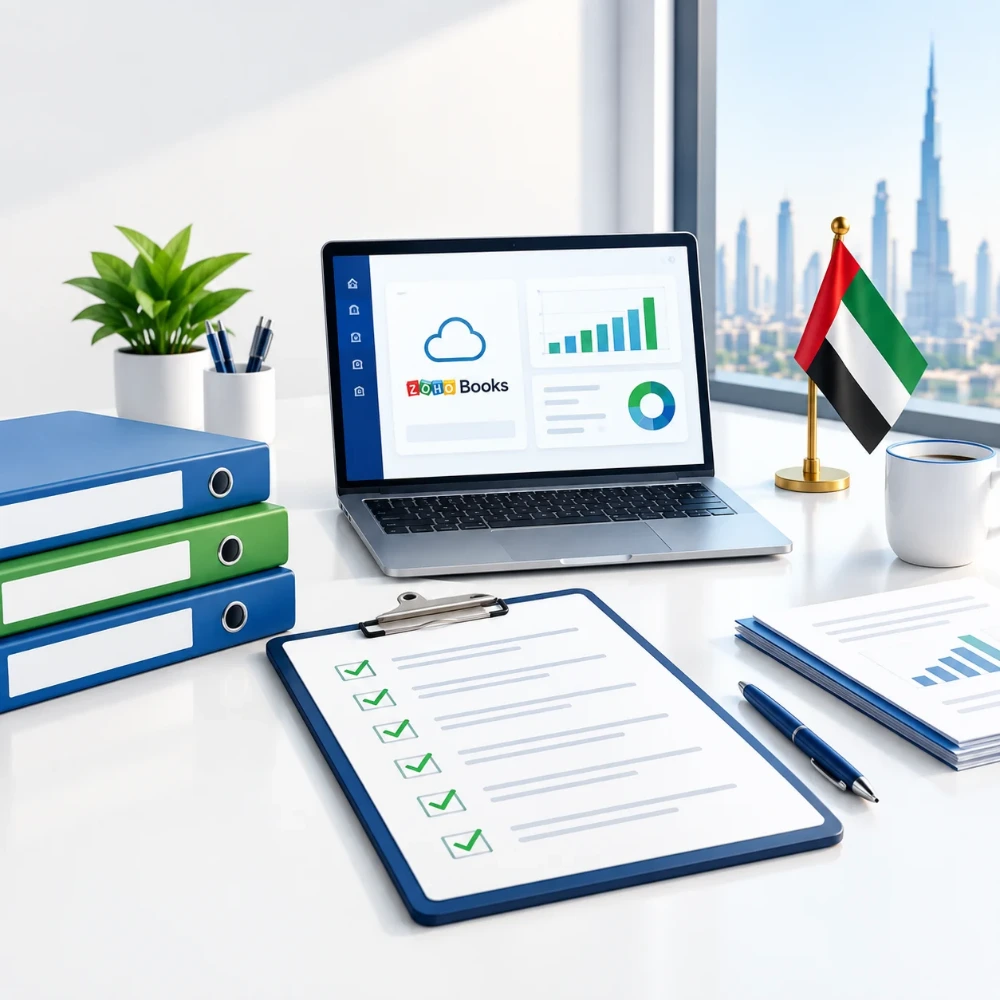
The organisation profile forms the foundation of the accounting system. Enter the business information carefully because these details can appear across transactions and reports. For a UAE organisation, Zoho’s UAE VAT setup documentation instructs users to select the United Arab Emirates as the business location and select the relevant emirate. Businesses in designated zones may also need to identify that status during setup.
Organisation Details to Double-Check
Review:
- Legal business name
- Business location
- Emirate
- Business address
- Base currency
- Financial year
- Contact details
- Relevant tax information
Do not treat this stage as a formality. Incorrect business information can create unnecessary corrections later.
Step 2 – Configure UAE Tax and VAT Settings
Zoho Books VAT setup deserves particular attention because VAT treatment can affect sales, purchases, invoices, expenses, and reporting. If the business is VAT registered, Zoho Books allows users to enter the VAT registration information and configure relevant tax settings. Its UAE documentation identifies standard-rate and zero-rate VAT options, along with exempt and out-of-scope treatments where applicable.
Zoho Books VAT Setup Checklist
Review the following:
- VAT registration status
- Tax Registration Number (TRN), where applicable
- VAT label
- Reporting period
- Applicable tax rates
- Customer tax treatment
- Supplier tax treatment
- Place-of-supply information
- International transaction requirements
The VAT treatment selected in the software should reflect the actual transaction and applicable UAE VAT rules. Businesses should not select a tax treatment simply because it is available in the software.
The Federal Tax Authority regularly publishes VAT guides, public clarifications, and updates, so businesses should verify current requirements when configuring tax processes.
VAT-Registered vs Non-VAT-Registered Businesses
Not every UAE small business has the same VAT position. A VAT-registered business needs to configure VAT information and apply appropriate tax treatment to relevant transactions. A business that is not VAT registered should not configure its books as though it were registered. The correct setup depends on the business’s actual registration status and circumstances.
Step 3 – Build the Chart of Accounts
The chart of accounts determines how the accounting system classifies financial activity. A well-organised chart helps the business understand where money comes from and where it goes.
Typical categories include:
Income Accounts
- Sales revenue
- Service income
- Other operating income
Expense Accounts
- Rent
- Salaries
- Marketing
- Software subscriptions
- Professional fees
- Utilities
- Bank charges
Asset Accounts
- Bank accounts
- Cash
- Accounts receivable
- Equipment
Liability Accounts
- Accounts payable
- Tax-related liabilities
- Loans and financing
A small business should avoid creating dozens of unnecessary accounts. The goal is to produce useful financial information without making bookkeeping unnecessarily complicated.
For example, a digital agency might create separate accounts for software subscriptions, advertising, professional services, and office expenses instead of putting every cost into one broad “general expenses” category.
Step 4 – Add Bank Accounts and Set Up Bank Feeds
Bank transactions form a major part of everyday bookkeeping. After adding the business bank account, review the available bank feeds or transaction-import options.
The objective is not simply to bring transactions into Zoho Books. Each transaction should ultimately be classified, matched, and reconciled correctly.
Bank Feed Setup Checklist
Check:
- Correct bank account
- Correct opening balance
- Transaction dates
- Imported transactions
- Customer payment matching
- Expense classification
- Unexplained transactions
- Regular reconciliation
For example, if a UAE consultancy receives a client payment of AED 10,000, the transaction should be matched with the relevant invoice rather than being left as an unexplained bank receipt.
Step 5 – Enter Opening Balances Correctly
Opening balances become especially important when a business moves from spreadsheets or another accounting system. They represent the financial position being carried into the new system at the selected starting point.
Depending on the business, opening balances may include:
- Bank balances
- Accounts receivable
- Accounts payable
- Loans
- Fixed assets
- Other liabilities
- Equity balances
Common Opening Balance Mistakes
Avoid:
- Using an incorrect opening date
- Duplicating old transactions
- Ignoring unpaid customer invoices
- Ignoring supplier balances
- Entering the wrong bank balance
- Mixing historical transactions with new transactions
If the opening position is incorrect, later reports may also become difficult to reconcile.
Step 6 – Configure Customers, Vendors, Invoices, and Expenses
Once the basic accounting structure is ready, configure the records used for daily transactions.
Add Customers and Vendors
For each customer or supplier, review:
- Legal/business name
- Contact information
- Payment terms
- Currency
- Tax treatment
- Tax registration details where relevant
- Place-of-supply information where applicable
Zoho Books supports different customer and vendor tax treatments, including UAE VAT-registered, non-VAT-registered, and certain GCC-related classifications.
Configure Invoices
Your invoice setup should be consistent with the business’s actual invoicing requirements.
Review:
- Business details
- Customer information
- Invoice numbering
- Invoice date
- Payment terms
- Products or services
- Applicable tax treatment
- Payment information
The FTA publishes guidance relating to UAE tax invoices, so businesses should ensure their invoicing process aligns with applicable requirements.
Configure Expenses
Set up expense categories that reflect the company’s actual spending.
Common examples include:
- Office costs
- Advertising
- Software
- Professional services
- Travel
- Utilities
- Bank charges
Keep receipts and supporting records organised so transactions can be reviewed when needed.
Step 7 – Review UAE Tax Details and Accounting Preferences
Completing the initial setup does not mean the system is ready without a final review.
Go through the following:
- Organisation profile
- Business location
- Currency
- Financial year
- VAT settings
- UAE tax details
- Chart of accounts
- Bank accounts
- Opening balances
- Customers
- Vendors
- Invoice settings
- Expense categories
- User permissions
- Reporting settings
For businesses subject to UAE Corporate Tax, accurate accounting records also matter because accounting income forms the starting point for determining taxable income, subject to applicable tax adjustments. The Ministry of Finance states that taxable persons are required to maintain relevant financial information and records for Corporate Tax purposes.
This is why accounting software setup should support the wider bookkeeping and tax process rather than operate as a disconnected invoicing tool.
Zoho Books UAE Setup Checklist for Small Businesses
Use this condensed checklist after completing the configuration.
Pre-Setup
- Business information prepared
- Trade licence information available
- Bank details available
- VAT status confirmed
- Existing accounting records reviewed
System Setup
- Organisation profile completed
- UAE location selected
- Emirate selected
- Currency configured
- Financial year reviewed
- Chart of accounts checked
- UAE tax details entered
Transaction Setup
- Customers added
- Vendors added
- Invoice settings reviewed
- Expense categories configured
- Bank feeds or imports configured
- Opening balances entered
Final Review
- Test invoice created
- Test expense recorded
- Bank transaction reviewed
- VAT treatment checked where applicable
- Financial reports reviewed
- User permissions checked
- Supporting documents organised
Common Zoho Books Setup Mistakes UAE Small Businesses Should Avoid
A good Zoho Books UAE Setup is not just about completing every field. It is about entering the right information for the business.
Using Generic Tax Settings
Businesses should configure tax treatment according to their actual circumstances. VAT rates and treatments should not be selected automatically without considering the transaction.
Creating an Overcomplicated Chart of Accounts
Too many categories can make bookkeeping harder. Use accounts that provide meaningful information for management and reporting.
Skipping Opening Balances
Starting with incomplete balances can make bank reconciliation and financial reporting difficult.
Recording Bank Transactions Without Reconciliation
Imported transactions still need review. Bank feeds can save time, but they do not remove the need for accounting checks.
Treating Software Setup as Accounting Advice
Accounting software can automate processes, but it does not determine every tax or accounting treatment for your business. Complex transactions should be reviewed based on the applicable UAE rules and the business’s circumstances.
How to Keep Zoho Books Accurate After Setup
A bookkeeping system stays useful only when the business maintains it consistently.
Weekly Tasks
- Review bank transactions
- Record expenses
- Match customer payments
- Review outstanding invoices
- Upload or organise supporting documents
Monthly Tasks
- Reconcile bank accounts
- Review receivables
- Review payables
- Check expense classifications
- Review tax-related transactions
- Generate management reports
Before VAT or Tax Reporting
Review the relevant transactions, supporting records, tax treatment, and reconciliations before preparing applicable filings. Zoho Books also provides UAE VAT workflows and can connect with EmaraTax for certain VAT-related processes, allowing businesses to retrieve and review VAT information within the accounting system.

Practical Example: Zoho Books Setup for a UAE Consultancy
Consider a UAE consultancy with several monthly clients, one business bank account, software subscriptions, marketing costs, and VAT registration.
The business could structure its setup as follows:
- Create the organisation profile with the correct UAE business details.
- Configure the applicable tax information.
- Build a simple chart of accounts for consulting income and operating expenses.
- Add the business bank account.
- Enter verified opening balances.
- Add customers and suppliers.
- Configure invoices and applicable VAT treatment.
- Record recurring software and marketing expenses.
- Match customer payments with invoices.
- Reconcile the bank account regularly.
This approach creates a connected bookkeeping workflow rather than treating invoices, expenses, and banking as separate activities.
Is Zoho Books Suitable for an Accounting Software UAE Small Business?
The suitability of any accounting software UAE small business depends on its actual requirements.
Before choosing or configuring accounting software, consider:
- Number of transactions
- Number of users
- Invoicing requirements
- Expense volume
- Banking requirements
- VAT requirements
- Reporting needs
- Integrations
- Inventory requirements
- Business growth plans
Zoho Books currently promotes UAE-specific VAT and Corporate Tax functionality and has also introduced e-invoicing capabilities for the UAE market.
UAE e-invoicing is being introduced through a phased implementation. Zoho’s current documentation states that businesses with revenue under AED 50 million are scheduled for mandatory e-invoicing from 1 July 2027, while larger businesses have earlier milestones. Businesses should verify their applicable timeline and requirements as implementation progresses.
FAQs
How do I set up Zoho Books in the UAE?
Start by creating the organisation profile, selecting the UAE business location and relevant emirate, configuring the financial year and currency, and entering applicable tax information. Then configure the chart of accounts, banking, opening balances, customers, vendors, invoices, and expenses.
What information is needed for Zoho Books setup UAE?
You generally need business information, banking details, financial-year information, customer and supplier records, existing accounting data, and relevant UAE tax information. VAT-registered businesses also need their applicable VAT registration details.
How does Zoho Books VAT setup work for UAE businesses?
VAT settings are configured through the tax section of Zoho Books. Depending on the business’s circumstances, the setup can include VAT registration details, applicable tax rates, contact tax treatments, and transaction-level VAT treatment.
Can a small UAE business use Zoho Books for bookkeeping?
A small UAE business can consider Zoho Books if its features, transaction requirements, reporting needs, banking workflow, and tax processes fit its operations. The business should evaluate its own accounting requirements before selecting or configuring software.
Do I need to enter opening balances in Zoho Books?
Opening balances are generally important when moving an existing business’s accounting records into a new system. They help establish the correct starting financial position.
Can Zoho Books connect to a UAE business bank account?
Bank-feed availability depends on the supported financial institution and current Zoho functionality. Businesses should verify whether their particular bank is supported and review imported transactions rather than assuming that every transaction is automatically correct.
What should I check after completing my Zoho Books UAE Setup?
Review the organisation profile, tax settings, chart of accounts, bank balances, opening balances, customer and vendor records, invoices, expenses, and financial reports. A test transaction and bank reconciliation can also help identify configuration issues early.
Final Zoho Books UAE Setup Checklist
A successful Zoho Books UAE Setup should create a reliable foundation for everyday bookkeeping. Start with accurate organisation information, then configure the chart of accounts, VAT settings, bank accounts, opening balances, customers, invoices, vendors, and expenses.
The most important point is consistency. Your accounting software should reflect the actual activities, transactions, and tax position of your business. Regular reconciliation and review are just as important as the initial setup.
If you are unsure how to structure your bookkeeping system or prepare the accounting setup for your UAE business, professional review can help identify gaps before they affect financial reporting or tax processes.
How Ripple Business Setup Can Help!
Ripple Business Setup helps UAE businesses navigate company formation, government procedures, licensing, banking preparation, and ongoing compliance requirements. We can also assist with reviewing your business activity, setup structure, documentation, and relevant requirements before you proceed.
For businesses implementing accounting and compliance processes, our team can help you understand the practical steps involved and identify areas that may require further professional review.
Phone: +971 50 593 8101
Email: info@ripplellc.ae
WhatsApp: +971 4 250 0833
Website: www.ripplellc.ae
Disclaimer: This article provides general information about Zoho Books UAE Setup and should not be treated as accounting or tax advice. UAE tax and e-invoicing requirements can change, so businesses should verify current requirements with the relevant authorities or a qualified professional.