

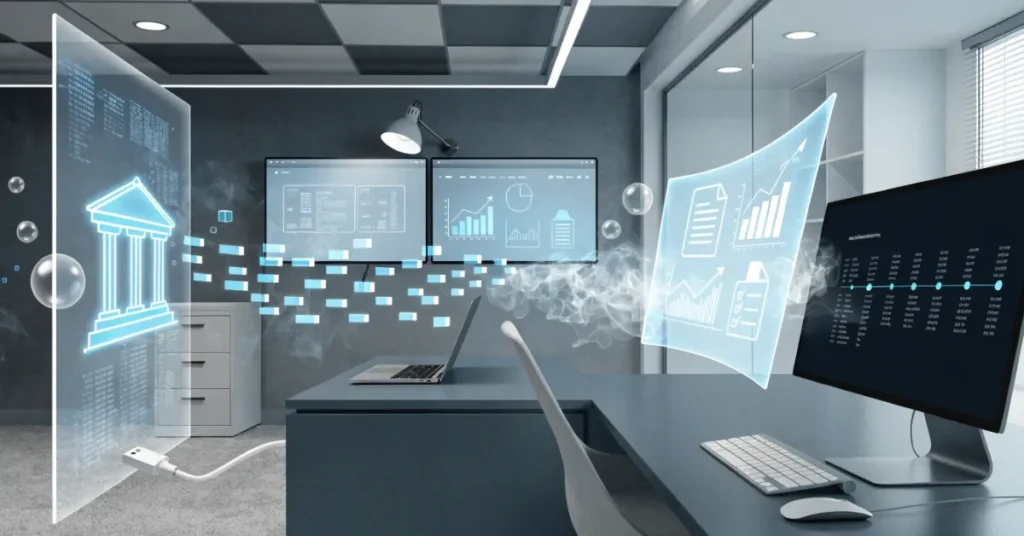
Managing business finances doesn’t have to involve hours of manual data entry or endless spreadsheets. With bank feeds, bookkeeping automation, and modern cloud accounting software, businesses can simplify daily financial tasks while improving accuracy. Instead of manually recording every bank transaction, automated systems securely import and categorize financial data in real time.
What Are Bank Feeds and How Do They Work?
Bank feeds are secure connections between your business bank account and accounting software. They automatically import bank transactions into your bookkeeping system, eliminating the need to enter each transaction manually. Instead of downloading bank statements every month and uploading them manually, bank feeds synchronize your financial data daily or several times throughout the day, depending on your bank and accounting software. This continuous synchronization keeps your financial records up to date and reduces delays in financial reporting.
Modern cloud accounting platforms use encrypted connections and banking security standards to protect financial information during data transfers. Most bank feeds provide read-only access, meaning the accounting software can retrieve transaction information but cannot move or modify money within your bank account.
Example
Imagine a retail business that processes hundreds of customer payments and supplier transactions every week. Without bank feeds, the accounting team must manually enter every transaction, increasing the risk of errors and consuming valuable time. With automated bank feeds, those transactions appear automatically in the accounting software, allowing staff to focus on reviewing and reconciling records instead of entering data.
How Bank Feeds Work
- Connect your business bank account to your accounting software.
- The software securely imports bank transactions automatically.
- Transactions are updated regularly throughout the day or daily.
- Automation rules categorize recurring income and expenses.
- Users review imported data and approve matches.
- The software simplifies bank reconciliation with suggested matches.
- Financial reports update automatically as new transactions arrive.
This process creates a more efficient bookkeeping workflow while improving financial visibility and reducing manual effort.
Why Businesses Should Automate Their Bookkeeping
Manual bookkeeping can be time-consuming and vulnerable to human error. Even small mistakes, such as duplicate entries or incorrect expense categories, can affect financial reports and tax calculations. Bookkeeping automation helps businesses overcome these challenges by streamlining routine accounting tasks. Automation doesn’t replace professional accountants. Instead, it allows them to spend more time analyzing financial performance, advising clients, and ensuring compliance rather than performing repetitive data entry.
Save Valuable Time
Entering hundreds of transactions manually each month requires significant effort. Automated bookkeeping imports transactions instantly, allowing finance teams to complete their work much faster. Business owners can spend more time growing their companies instead of managing paperwork.
Reduce Human Errors
Typing mistakes, duplicate entries, and missed transactions are common in manual bookkeeping. Automation minimizes these errors by importing data directly from your bank. More accurate records lead to better financial reporting and improved business decisions.
Faster Bank Reconciliation
Reconciling bank accounts manually often takes hours. Automated bank reconciliation tools compare imported transactions with accounting records and suggest matches automatically. This significantly shortens month-end closing processes.
Better Financial Visibility
Because bank feeds update regularly, business owners always have access to current financial information. This makes it easier to monitor revenue, expenses, and available cash. Real-time visibility supports quicker and more informed business decisions.
Easier Tax Preparation
Organized financial records simplify VAT returns, corporate tax filings, and annual financial reporting. Automated bookkeeping keeps supporting data structured throughout the year, reducing stress during tax season.
Improved Decision Making
Up-to-date financial information allows business owners to identify spending trends, monitor profitability, and plan future investments with greater confidence.
Benefits of Bookkeeping Automation
- Saves hours of manual work every week
- Improves bookkeeping accuracy
- Reduces duplicate entries
- Simplifies bank reconciliation
- Supports real-time financial reporting
- Improves cash flow visibility
- Organizes financial records automatically
- Makes tax preparation easier
- Enhances accounting efficiency
- Supports business growth
Key Features of Modern Bank Feed Automation
Modern accounting software offers far more than automatic transaction imports. Today’s automation tools combine artificial intelligence, machine learning, and smart accounting rules to reduce manual work while improving financial accuracy. Understanding these features helps businesses choose the right bookkeeping solution for their needs.
Automatic Transaction Import
The foundation of bank feed automation is automatic transaction import. Instead of downloading statements manually, transactions flow directly from your bank into your accounting software. This ensures your books stay current without repetitive data entry.
Smart Transaction Categorization
Many accounting systems learn from previous bookkeeping activities. After reviewing several similar transactions, the software automatically assigns categories such as office expenses, utilities, travel costs, or sales income. This feature reduces manual categorization while maintaining consistency across financial records.
Automated Bank Reconciliation
Bank reconciliation compares your accounting records with your bank statement. Automated reconciliation tools identify matching transactions and suggest reconciliations instantly. Users simply review the suggestions and approve them where appropriate.
Duplicate Transaction Detection
Duplicate entries can distort financial reports and overstate expenses or income. Modern bookkeeping systems detect duplicate transactions before they affect your records. This feature improves data accuracy and minimizes correction work later.
AI-Powered Expense Recognition
Artificial intelligence can recognize common spending patterns and recommend appropriate expense categories based on historical transactions. As the software learns your business activities, categorization becomes increasingly accurate.
OCR Receipt Capture
Optical Character Recognition (OCR) technology extracts information from receipts and invoices by scanning uploaded images. Instead of typing supplier names, dates, and amounts manually, the software captures this information automatically.
Invoice Matching
Many bookkeeping systems automatically match customer payments with invoices and supplier payments with bills. This reduces outstanding balances and helps maintain accurate accounts receivable and accounts payable records.
Real-Time Financial Dashboard
Automation provides instant access to financial dashboards displaying:
- Bank balances
- Income
- Expenses
- Cash flow
- Profit trends
- Outstanding invoices
- Monthly spending
- Financial performance indicators
These dashboards allow business owners to monitor financial health without waiting for month-end reports.
Step-by-Step Guide to Setting Up Bank Feeds
Setting up bank feeds correctly ensures accurate financial reporting and a smooth bookkeeping workflow. Although the exact process varies depending on your accounting software and bank, the following steps apply to most businesses.
Step 1 – Choose Cloud Accounting Software
Start by selecting accounting software that supports secure bank feed integration and automation.
Popular options include:
- Xero
- QuickBooks Online
- Zoho Books
- Sage
- FreshBooks
When comparing platforms, consider features such as automated bank reconciliation, expense tracking, invoice management, financial reporting, mobile access, scalability, and integration with your existing business tools.
Choose software that aligns with your company’s size, industry, and future growth plans.
Step 2 – Connect Your Business Bank Account
After setting up your accounting software, connect your business bank account using the built-in bank feed connection. Most platforms provide a list of supported banks. Follow the secure authorization process to grant read-only access for importing transactions.
Using official banking connections helps maintain data security and ensures reliable synchronization.
Step 3 – Verify the Secure Connection
Before importing transactions, verify that the connection has been established successfully.
Check that:
- The correct bank account is connected.
- The account number matches your records.
- Recent transactions appear correctly.
- Automatic synchronization is enabled.
Completing these checks early helps prevent bookkeeping errors later.
Step 4 – Import Historical Transactions
Many accounting systems allow you to import historical bank transactions for previous weeks or months. Importing historical data helps create complete financial records and supports accurate reporting for ongoing accounting periods.
Review imported transactions carefully before approving them.
Step 5 – Create Bank Rules
Bank rules automate recurring bookkeeping tasks by assigning categories to regular transactions.
For example:
- Monthly rent automatically posts to Rent Expense.
- Electricity bills are categorized as Utilities.
- Software subscriptions are recorded under Operating Expenses.
- Customer payments are matched to Sales Revenue.
These automation rules significantly reduce manual categorization over time.
Step 6 – Review Auto-Categorization
Although automation improves efficiency, every business should review automatically categorized transactions regularly.
Look for:
- Incorrect expense categories
- Duplicate transactions
- Missing supplier information
- Unusual transaction amounts
Regular reviews maintain accurate financial records and improve the software’s future recommendations.
Step 7 – Reconcile Transactions
Use your accounting software’s reconciliation feature to compare imported bank transactions with accounting entries. Approve suggested matches, investigate unmatched transactions, and resolve any discrepancies promptly. Frequent reconciliation keeps financial records accurate and simplifies month-end reporting.
Step 8 – Monitor Daily Imports
Bank feeds continue importing transactions automatically after setup.
Review new transactions regularly to:
- Confirm successful imports
- Monitor cash flow
- Identify unexpected expenses
- Track customer payments
- Maintain accurate bookkeeping
Consistent monitoring ensures your financial information remains current and supports informed business decisions.
By following these steps, businesses can build a reliable, automated bookkeeping system that reduces manual work, improves financial accuracy, and provides real-time insights into business performance.
Common Mistakes to Avoid When Using Bank Feeds
Bank feeds and bookkeeping automation can significantly improve efficiency, but they still require regular oversight. Relying entirely on automation without reviewing transactions can lead to inaccurate financial records. Understanding the most common mistakes helps businesses maintain reliable bookkeeping and avoid costly corrections later.
Ignoring Duplicate Transactions
Duplicate transactions may occur if bank feeds are reconnected incorrectly or historical data is imported more than once. If duplicates remain in your books, they can overstate income or expenses and affect financial reports. Always review imported transactions after syncing your bank account and remove duplicates before completing reconciliations.
Incorrect Account Mapping
Every transaction should be assigned to the correct ledger account. Mapping expenses or income to the wrong category can distort profit and loss reports, balance sheets, and tax calculations. Review your chart of accounts regularly and ensure automation rules classify transactions correctly.
Skipping Transaction Reviews
Automation speeds up bookkeeping, but it does not eliminate the need for human review. Some transactions require manual judgment, particularly unusual purchases or one-time business expenses. Schedule weekly reviews to verify imported transactions and approve only those that have been categorized correctly.
Poor Expense Categorization
Incorrect expense categories make budgeting, financial reporting, and tax preparation more difficult. For example, recording equipment purchases as office supplies may affect depreciation calculations and financial statements. Create consistent categorization rules and update them whenever new types of expenses occur.
Delaying Bank Reconciliation
Some businesses postpone reconciliation until the end of the month or financial year. This increases the workload and makes it harder to identify missing or incorrect transactions. Reconciling accounts every week or at least once a month keeps financial records accurate and simplifies month-end closing.
Using Outdated Bank Connections
Banks occasionally update their security requirements or authentication methods. If a bank connection expires, transactions may stop importing automatically. Check your bank feed status regularly and reconnect accounts whenever prompted by your accounting software.
Giving Excessive User Permissions
Not every employee requires full access to accounting data. Providing unrestricted permissions increases the risk of accidental changes or unauthorized access. Use role-based permissions so employees only access the information they need for their responsibilities.
Ignoring Software Updates
Accounting software providers frequently release updates that improve security, add automation features, and fix technical issues. Keeping your software updated ensures you benefit from the latest improvements and maintain compatibility with your bank.
Best Accounting Software with Bank Feed Automation
Choosing the right accounting software is essential for maximizing the benefits of bank feeds and bookkeeping automation. The ideal solution depends on your business size, budget, reporting requirements, and future growth plans.
| Software | Best For | Bank Feeds | Automation Features | AI Features | Mobile App |
|---|---|---|---|---|---|
| Xero | Small and medium businesses | Yes | Smart bank reconciliation, bank rules | Limited AI | Yes |
| QuickBooks Online | Growing businesses | Yes | Automated categorization and reconciliation | Yes | Yes |
| Zoho Books | Startups and SMEs | Yes | Workflow automation and recurring transactions | Yes | Yes |
| Sage Accounting | Established businesses | Yes | Financial automation and reporting | Limited AI | Yes |
| FreshBooks | Freelancers and service businesses | Yes | Expense tracking and invoice automation | Basic AI | Yes |
Each platform supports secure bank feeds and cloud accounting while offering different levels of automation. Businesses should evaluate features such as integration options, reporting capabilities, ease of use, customer support, and pricing before making a decision.
When selecting software, consider whether it can grow with your business and integrate with payroll, inventory management, payment gateways, and CRM systems.
Bank Feeds vs Manual Bookkeeping

Many businesses still rely on spreadsheets or manual bookkeeping methods. While these approaches may work for very small operations, they become inefficient as transaction volumes increase.
The comparison below highlights the differences between traditional bookkeeping and automated bank feeds.
| Feature | Manual Bookkeeping | Bank Feed Automation |
|---|---|---|
| Data Entry | Manual | Automatic |
| Time Required | High | Low |
| Accuracy | Depends on manual input | High with regular review |
| Bank Reconciliation | Time-consuming | Fast and automated |
| Financial Reporting | Often delayed | Real-time updates |
| Error Risk | High | Significantly reduced |
| Expense Tracking | Manual | Automatic categorization |
| Cash Flow Monitoring | Limited | Real-time visibility |
| Tax Preparation | More complex | Better organized |
| Business Productivity | Lower | Higher |
Although automation improves efficiency, businesses should still perform regular reviews and reconciliations to maintain complete accuracy.
How Automation Improves Cash Flow Management
Healthy cash flow is one of the most important indicators of business success. Bookkeeping automation provides up-to-date financial information, making it easier to understand where money is coming from and where it is being spent.
Daily Visibility into Bank Transactions
Automatic bank feeds import transactions throughout the day, allowing business owners to monitor account balances and recent activity without waiting for monthly bank statements. This immediate visibility helps businesses respond quickly to unexpected expenses or delayed customer payments.
Better Expense Monitoring
Automation categorizes recurring expenses consistently, making it easier to identify unnecessary spending and control operating costs. Regular expense monitoring also supports more accurate budgeting and financial planning.
Faster Customer Payment Tracking
Many accounting systems automatically match incoming payments with customer invoices. This helps businesses identify overdue accounts and follow up with customers more efficiently.
Improved payment tracking contributes to healthier cash flow and fewer outstanding receivables.
Improved Budget Planning
Current financial information enables businesses to compare actual spending against budgets throughout the year. Instead of relying on outdated reports, managers can adjust spending decisions based on real-time financial performance.
Better Financial Forecasting
Accurate bookkeeping provides reliable historical data that supports future forecasting. Businesses can estimate seasonal sales, predict upcoming expenses, and plan investments with greater confidence.
Practical Example
A growing consulting firm previously updated its bookkeeping only once every month. This delayed financial reporting made it difficult to monitor cash flow and identify unpaid invoices. After implementing bank feeds and automated bookkeeping, transactions were imported daily, invoices were matched automatically, and financial reports updated in real time. As a result, the business improved cash flow visibility, reduced overdue payments, and made faster financial decisions.
Security of Bank Feeds – Is It Safe?
One of the most common concerns about bookkeeping automation is data security. Fortunately, modern bank feeds are designed with multiple layers of protection to safeguard financial information.
Encrypted Data Transmission
Most accounting software uses advanced encryption protocols to protect financial data while it travels between your bank and accounting platform. Encryption helps prevent unauthorized access during data transfers.
Read-Only Connections
Bank feeds typically operate with read-only access. This means the accounting software can retrieve transaction information but cannot transfer funds, modify bank balances, or authorize payments. This significantly reduces financial risk.
Multi-Factor Authentication
Many banks require multi-factor authentication when connecting business accounts to accounting software. This additional verification step strengthens account security and helps prevent unauthorized access.
User Permission Controls
Modern accounting platforms allow administrators to assign different access levels for employees.
Businesses can control who can:
- View financial information
- Approve reconciliations
- Create automation rules
- Export reports
- Manage system settings
Role-based access improves internal security and accountability.
Automatic Data Backups
Cloud accounting software performs regular backups to protect financial records against hardware failures or accidental data loss. Businesses benefit from secure storage and easier disaster recovery.
Compliance with Industry Standards
Leading accounting software providers comply with internationally recognized security standards and continuously monitor their systems for potential threats. Regular software updates further improve protection against cybersecurity risks.
Who Should Use Automated Bookkeeping?
Bookkeeping automation is suitable for businesses of all sizes. Whether you process dozens or thousands of transactions every month, automation reduces administrative work while improving financial accuracy.
Businesses that benefit most include:
- Startups building efficient financial systems
- Small and medium-sized enterprises (SMEs)
- E-commerce businesses with frequent online sales
- Retail stores handling daily customer transactions
- Professional service firms
- Marketing agencies
- Consultants and freelancers
- Healthcare clinics
- Restaurants and cafés
- Construction companies
- Manufacturing businesses
- Wholesale distributors
- Real estate companies
- Non-profit organizations
- Businesses with multiple bank accounts
Any organization looking to reduce manual bookkeeping, improve reporting, and gain better control over financial data can benefit from implementing bank feeds and automation.
Real Business Example: How Automation Saved Hours Every Month
A medium-sized wholesale business managed its bookkeeping using spreadsheets and manually entered nearly 900 bank transactions every month. The finance team spent several days importing statements, categorizing expenses, and reconciling accounts. The company decided to implement cloud accounting software with secure bank feeds and automation rules.
Within a few weeks, the system automatically imported daily bank transactions and categorized recurring expenses based on predefined rules. Customer payments were matched with invoices, and duplicate entries were identified before reconciliation.
Results Achieved
- Reduced manual data entry by more than 80%
- Saved over 20 bookkeeping hours every month
- Improved reconciliation speed significantly
- Reduced bookkeeping errors caused by manual input
- Generated real-time financial reports
- Improved cash flow monitoring
- Accelerated month-end closing
- Allowed finance staff to focus on analysis instead of repetitive administrative tasks
The business experienced greater financial visibility and improved operational efficiency without increasing accounting staff.
Expert Tips to Get the Most from Bank Feed Automation
Although automation simplifies bookkeeping, following best practices helps businesses maximize accuracy and efficiency.
- Review imported transactions every week.
- Reconcile bank accounts regularly instead of waiting until month-end.
- Create bank rules for recurring income and expenses.
- Update automation rules as your business grows.
- Monitor bank feed connections to ensure uninterrupted synchronization.
- Keep accounting software updated with the latest security improvements.
- Use OCR receipt scanning to reduce manual document entry.
- Attach receipts and invoices to transactions for easier recordkeeping.
- Review exception reports to identify unusual activity.
- Integrate payroll, invoicing, and inventory systems where possible.
- Restrict user permissions based on employee responsibilities.
- Back up financial records and maintain proper documentation.
- Train staff on automation features and bookkeeping best practices.
- Periodically review expense categories to maintain reporting accuracy.
- Use financial dashboards to monitor cash flow and key performance indicators in real time.
Following these practices helps businesses build a reliable bookkeeping system that supports growth, improves financial reporting, and minimizes administrative effort.
Ripple Business Setup – Simplify Your Bookkeeping with Smart Automation
Managing bookkeeping manually can slow business growth and increase the risk of financial errors. Ripple Business Setup helps businesses implement modern bookkeeping solutions that improve efficiency, accuracy, and financial visibility through secure cloud accounting and automation.
Our experienced professionals can assist with:
- Bank feed setup and configuration
- Cloud accounting software implementation
- Automated bookkeeping solutions
- Bank reconciliation services
- Financial reporting and management accounts
- Bookkeeping outsourcing
- Accounting software migration
- Expense management automation
- Invoice and payment automation
- Ongoing accounting support and training
Whether you’re transitioning from spreadsheets or upgrading your existing accounting system, Ripple Business Setup can help you build a streamlined bookkeeping process tailored to your business needs.
Contact Ripple Business Setup
Ripple Business Setup
- Website: https://ripplellc.ae/
- Email: info@ripplellc.ae
- Phone: +971 50 593 8101
- WhatsApp: +971 4 250 0833
Take the next step toward more efficient bookkeeping with secure bank feeds and automation designed to save time, improve accuracy, and support better financial decisions.
FAQ
What are bank feeds?
Bank feeds are secure connections between your business bank account and accounting software. They automatically import bank transactions into your bookkeeping system, reducing manual data entry and helping keep financial records accurate and up to date.
Are bank feeds secure?
Yes. Most modern accounting platforms use bank-grade encryption, read-only connections, secure authentication, and regular security updates to protect your financial data. Since bank feeds cannot move money or make payments, they provide a safe way to access transaction information.
Can bank feeds replace a bookkeeper?
No. Bank feeds automate repetitive tasks such as importing transactions and suggesting categories, but they cannot replace the professional judgment of a qualified bookkeeper or accountant. Human oversight is still essential for reviewing transactions, ensuring compliance, preparing financial statements, and making informed financial decisions.
Which accounting software offers the best bank feed automation?
Several cloud accounting platforms provide excellent bank feed functionality. Popular choices include Xero, QuickBooks Online, Zoho Books, Sage Accounting, and FreshBooks. The best option depends on your business size, industry, reporting requirements, and integration needs.
How often do bank feeds update?
The update frequency depends on your bank and accounting software. Many bank feeds synchronize daily, while some provide multiple updates throughout the day, giving businesses access to near real-time financial information.
Can small businesses benefit from bookkeeping automation?
Absolutely. Small businesses often have limited resources, making automation especially valuable. Automated bookkeeping saves time, reduces errors, improves cash flow visibility, and allows business owners to focus on serving customers and growing their business.
What should I do if transactions are categorized incorrectly?
Review your imported transactions regularly and correct any inaccurate categories. Updating your bank rules helps the software learn your preferences and improves categorization accuracy over time.
Is bookkeeping automation suitable for growing businesses?
Yes. As transaction volumes increase, manual bookkeeping becomes more time-consuming and prone to errors. Bookkeeping automation scales with your business, making it easier to manage higher transaction volumes while maintaining accurate financial records.
Conclusion
Setting up bank feeds and bookkeeping automation is one of the most effective ways to improve financial management. By automatically importing bank transactions, reducing manual data entry, and simplifying bank reconciliation, businesses can save time while maintaining more accurate financial records. Automation also provides real-time visibility into cash flow, expenses, and business performance, enabling owners and managers to make faster and better-informed decisions. Although automation streamlines many bookkeeping tasks, regular reviews and professional oversight remain essential for ensuring accuracy and compliance.
Disclaimer: This article is intended for general informational purposes only and should not be considered accounting, tax, financial, or legal advice. While every effort has been made to ensure the accuracy of the information, bookkeeping practices, banking integrations, and accounting software features may change over time. Businesses should consult a qualified accountant or financial advisor before making decisions based on their specific circumstances. Ripple Accountants accepts no liability for actions taken solely based on the information provided in this article.